Why “Digital Skills” Sounds Bigger Than It Actually Is

The phrase “digital skills” tends to scare people off before they even start. It sounds like something reserved for programmers or IT departments. In reality, most of what falls under digital skills today has nothing to do with writing code or fixing computers. It’s closer to knowing how to use the tools that already sit on your phone and laptop, just in a way that actually saves you time and makes you harder to replace at work.
This is written for the person who isn’t chasing a tech career, but still wants to stop feeling behind every time a new tool or platform shows up. No jargon, no assumption that you already know what an API is.
Who Actually Needs These Skills
Short answer: almost everyone. A teacher managing online classes, a shop owner posting on Instagram, an accountant working across three different software tools, a student applying for internships. The specific skill each person needs might differ, but the underlying need is the same. Work has moved online, and the people who are comfortable navigating that shift are the ones who move faster through their day, not just the ones with a computer science degree.
1. Basic AI Tool Literacy
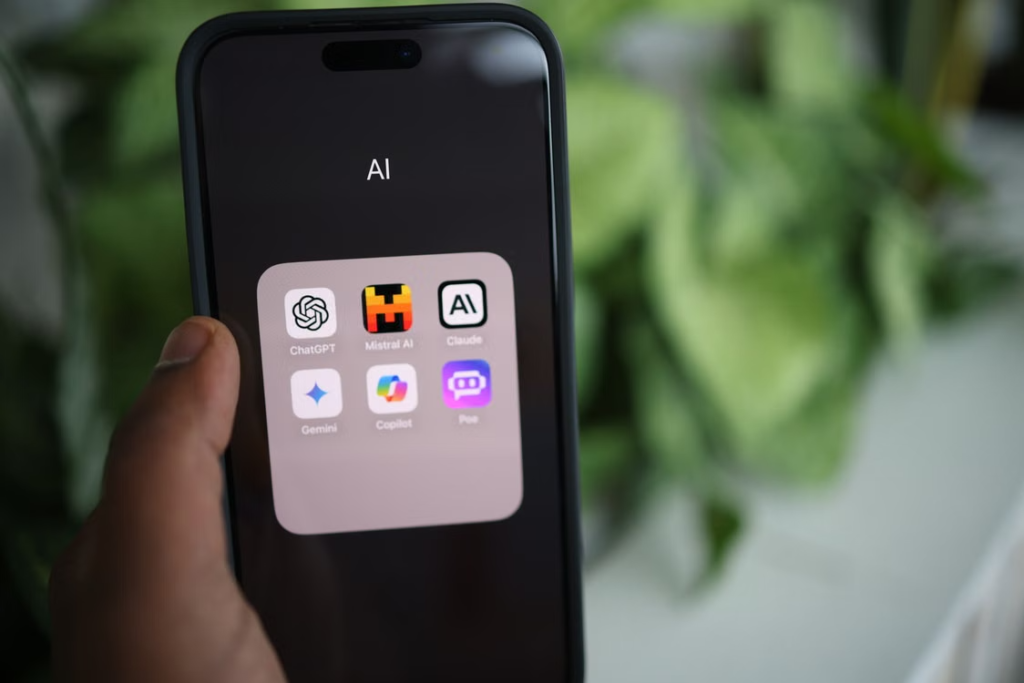
This doesn’t mean understanding how AI models work under the hood. It means knowing how to use tools like ChatGPT, Claude, or similar assistants to draft an email faster, summarize a long document, or brainstorm ideas without starting from a blank page.
The skill isn’t in the tool itself. It’s in knowing how to ask it clearly, and how to check its answer instead of copying it blindly. People who treat AI tools like a fast first draft, not a final answer, get the most out of them.
2. Spreadsheet and Data Basics
You don’t need to become a data analyst. But knowing how to sort a list, build a simple formula, or make a chart in Excel or Google Sheets is one of those quiet skills that shows up in almost every job. It’s the difference between manually counting things by hand and letting a formula do it in two seconds.
Most people only learn this the hard way, when a manager asks for something and they realize they don’t know how. Learning the basics ahead of time, even just SUM, IF, and a pivot table, saves that scramble later.
3. Digital Communication Etiquette
This sounds almost too simple to call a “skill,” but it genuinely isn’t. Knowing when to send a Slack message versus an email, how to write a subject line that actually gets opened, or how to keep a group chat from turning into chaos, is something a lot of workplaces struggle with.
Good digital communication also means knowing what not to send. Long, unclear messages that could have been three lines create more back-and-forth than they save.
4. Cybersecurity Basics for Everyday Use
Nobody needs to become a security expert. But everyone should know how to spot a phishing email, use a password manager instead of reusing the same password everywhere, and turn on two-factor authentication for their important accounts.
This matters more now than it used to, since scams have gotten more convincing, not less. A single careless click on a fake link can undo years of saved data or drained accounts.
5. Social Media Management

These skills are mainly useful for people who are active on social media in a professional sense business owners and freelancers, for example, who depend on it for income. It’s a skill that requires a good amount of patience, because nobody’s followers or views grow overnight. It takes consistent posting and a real understanding of how each platform’s algorithm works, so you can actually work with it instead of against it.
You can put this skill to use in two ways: either you’re aiming to go viral, or you’re building a steady online presence for things like promoting your brand.
6. Basic Video and Image Editing
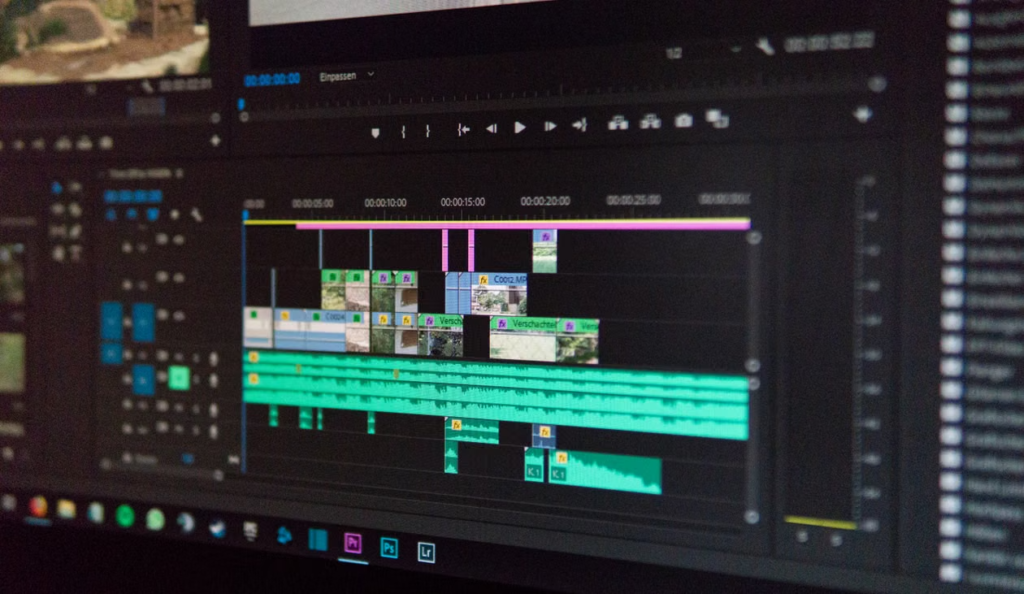
You don’t need professional editing software for this. Free tools like Canva or Cap Cut cover most of what an average person needs: resizing an image, trimming a video clip, adding captions, or making a simple graphic for a presentation.
This skill has quietly become expected in more workplaces than people realize. A marketing coordinator, a teacher making a course, or a small business owner posting online all end up needing this at some point, whether they planned for it or not.
7. Cloud Tools and File Organization
Working with tools like Google Drive, Dropbox, or Notion isn’t complicated, but a lot of people never learn the basics beyond “upload a file.” Knowing how to organize folders properly, share files with the right permissions, and collaborate on a document in real time saves a surprising amount of confusion, especially in team settings.
This one seems minor until you’ve worked with someone whose files are scattered across five different places with no clear naming system.
8. Understanding How Search and Algorithms Work (At a Basic Level)

This doesn’t mean learning SEO as a career skill. It means understanding, at a basic level, why some things show up first on Google, why certain social posts get seen more than others, and why online ads seem to “follow” you. This kind of digital awareness helps people make smarter decisions, whether that’s setting up a small business page or just being a more informed internet user.
Comparing These Skills at a Glance
| Skill | Learning Curve | Where It Helps Most | Free Tools to Start With |
|---|---|---|---|
| AI Tool Literacy | Low | Any job, any industry | ChatGPT, Claude |
| Spreadsheets | Medium | Office and admin work | Google Sheets, Excel |
| Digital Communication | Low | Remote and hybrid teams | Slack, Gmail |
| Cybersecurity Basics | Low | Everyone, personal and work | Password managers, 2FA apps |
| Social Media Management | Medium | Small business, freelancing | Instagram, Canva |
| Video/Image Editing | Medium | Marketing, teaching, content | Canva, CapCut |
| Cloud Tools | Low | Team collaboration | Google Drive, Notion |
| Search & Algorithm Awareness | Medium | Marketing, general awareness | Google Search Console |
Frequently Asked Questions
Do I need a technical background to learn digital skills? No. Most of the skills that matter for everyday work and life require no coding background at all. They’re closer to tool literacy than software engineering.
Which digital skill should I learn first? Start with whichever one shows up most often in your daily routine. The skill that removes a recurring frustration is usually the most motivating one to learn first.
Are these skills useful even if I’m not planning a tech career? Yes. These skills apply across almost every industry now, from retail to education to healthcare administration, not just tech-specific roles.
Written by Ahtisham
Student exploring online earning across different platforms, sharing lessons from real experience along the way.