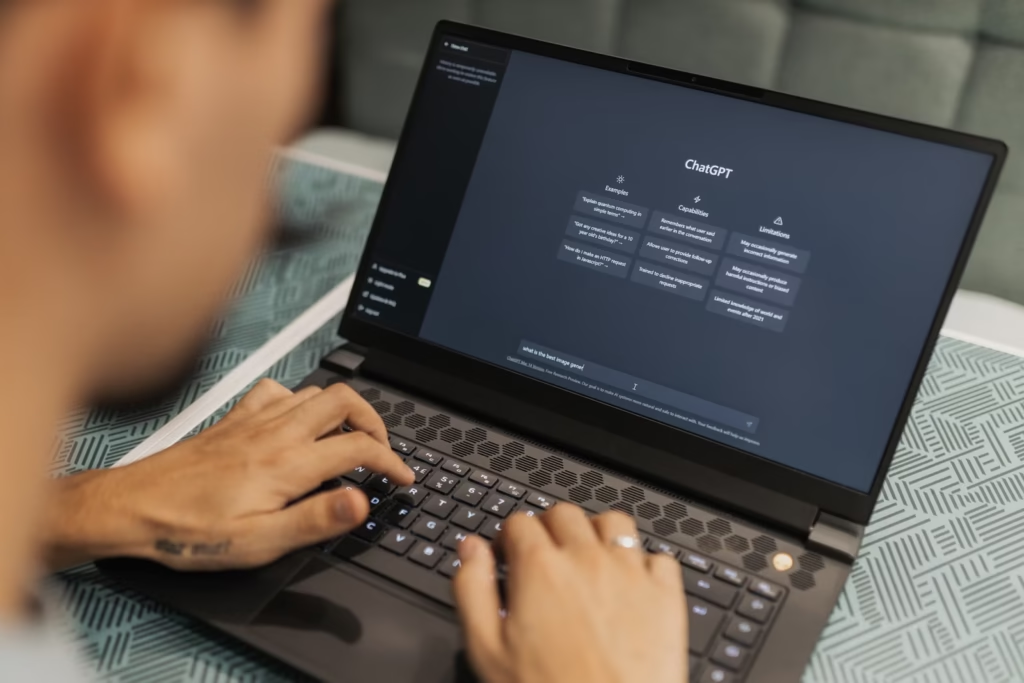
1. ChatGPT (OpenAI)
Best for: Anyone who writes regularly and wants one flexible tool.
ChatGPT effectively created the mass-market AI writing category, and its Canvas mode — a side panel for targeted rewrites and edits — plus persistent memory across conversations and Projects for organizing recurring work have kept it the default starting point for most writers in 2026.
Pricing: Free tier (limited access), Go at roughly $8/month, Plus at $20/month (unlocks more advanced reasoning modes), Pro at $200/month for heavy users.
Strengths: Extremely broad capability across writing styles, strong editing tools, huge plugin and integration ecosystem, custom GPTs for repeatable workflows.
Limitations: No built-in SEO optimization tools; brand-voice consistency across long projects needs manual setup.
For a deeper look at pricing tiers and use cases, see our full ChatGPT Review.
2. Claude (Anthropic)
Best for: Long-form writing, editing, and content that needs to sound genuinely human.
Claude is widely regarded as producing the most natural-sounding prose among current AI assistants, and it handles long documents — chapters, reports, multi-section articles — with more consistent voice and structure than most competitors. Its Artifacts feature previews documents in real time as you write, and Projects keeps context for ongoing work.
Pricing: Free tier (limited), Pro at $20/month ($17/month billed annually), Max plans at $100 and $200/month for higher usage, Team plans from $25/seat/month.
Strengths: Best-in-class writing quality, strong at editing and tightening existing drafts, handles nuanced tone instructions well.
Limitations: Smaller third-party ecosystem than ChatGPT; no dedicated SEO toolkit built in.
Full breakdown here: Claude AI Review.
3. Jasper
Best for: Marketing teams that need brand governance at scale.
Jasper positions itself as a full content ecosystem rather than a single writing box — templates, a Brand Voice engine that learns from existing content, team collaboration, and workflow automation. It’s used by large marketing teams at well-known companies and holds a strong reputation on review sites.
Pricing: Creator/entry tier from roughly $59/seat/month billed annually; higher tiers add Style Guide controls, SSO, and API access; Enterprise is custom-quoted.
Strengths: Strong brand-voice consistency across many writers, solid team approval workflows, mature integrations.
Limitations: Meaningfully pricier than general assistants; overkill for solo writers or small blogs.
4. Copy.ai
Best for: Sales and marketing teams running high-volume campaign content.
Copy.ai’s self-serve Chat plan is affordable, but the jump to its go-to-market “Growth” tier is steep and not clearly signposted on the pricing page — worth knowing before you commit to scaling up.
Pricing: Self-serve Chat plan from roughly $29/month; Advanced tier around $249/month; Growth (GTM) tier starts around $1,000/month.
Strengths: Good for repeatable campaign templates and workflow automation across a marketing team.
Limitations: Pricing structure has a large gap between self-serve and team tiers.
5. Writesonic
Best for: Budget-conscious SEO content production.
Writesonic covers article generation, ad copy, and on-page SEO features at a lower price point than most specialist competitors, with a free plan offering a capped word allowance to test the tool first.
Pricing: Entry plans typically range from roughly $12–$16/month depending on model and word limits; unlimited-word plans and higher SEO-feature tiers run higher.
Strengths: Affordable entry point, decent SEO feature set for the price, free tier available.
Limitations: Output quality on lower tiers trails premium models; heavier SEO features require upgrading.
6. Frase
Best for: Teams that want SEO research and drafting in one workflow.
Frase pairs content briefs pulled from top-ranking competitor pages with an AI drafting layer, so research and writing happen in the same tool rather than two separate apps.
Pricing: Around $45/month for the standard plan.
Strengths: Strong SERP-based research feature, useful for briefs and outlines before writing begins.
Limitations: Drafting quality is solid but not top-tier compared to ChatGPT or Claude for polished prose.
7. Surfer SEO
Best for: Content teams optimizing existing pages for search rankings.
Surfer focuses on keyword and on-page optimization scoring rather than being primarily a drafting tool, and it’s often used alongside a general AI writer rather than instead of one.
Pricing: From roughly $69–$89/month depending on billing cycle, typically including a capped number of seats and keyword analyses; content generation and audit tools are often paid add-ons.
Strengths: Detailed on-page optimization scoring, useful for teams focused on search rankings specifically.
Limitations: Pricier per seat than general writing tools; add-on costs can add up.
8. Grammarly
Best for: A final editing pass on top of whatever you already write in — AI-drafted or not.
Grammarly isn’t a drafting tool first; it’s an editing layer that catches grammar, clarity, and consistency issues across nearly every app you write in, not just one platform. In 2026 it sits under a parent company that has expanded into email and documents, but the core Grammarly writing product is unchanged in purpose.
Pricing: Free plan with core grammar and spelling checks plus a monthly AI-prompt allowance; Pro around $12/month billed annually (roughly $30/month billed monthly); Business/team tiers around $25–$33/seat/month; Enterprise custom-quoted.
Strengths: Works everywhere, genuinely useful free tier, strong plagiarism and AI-text detection on paid plans.
Limitations: Billing complaints around surprise annual charges are common in user reviews, so check the billing cycle carefully before subscribing.
9. Rytr
Best for: Solo bloggers and true budget buyers.
Rytr keeps things simple: templates for common writing tasks at one of the lowest price points in the category.
Pricing: Around $9/month for the entry paid plan.
Strengths: Cheapest reliable option for casual or occasional use.
Limitations: Less depth than premium tools for long-form or brand-governed content.
10. Notion AI
Best for: Teams already living inside Notion who want AI embedded in their existing docs and databases.
Rather than being a separate app to switch into, Notion AI works directly inside pages and databases you already use for project and content management.
Pricing: Roughly $19.50/user/month as an add-on to a Notion workspace plan.
Strengths: No context-switching for teams already using Notion for content planning.
Limitations: Only makes sense if you’re already committed to the Notion ecosystem.
Pricing Table
All prices below are the publicly listed entry or mid-tier rate in USD as of mid-2026. Vendors bill in USD by default for most self-serve plans; UK, Canadian, and Australian customers are typically charged the USD-equivalent through their card provider’s exchange rate unless a tool explicitly lists local pricing on its own site. Always confirm the live number on the vendor’s pricing page before buying, since these figures shift often.
| Tool | Free Plan | Entry Paid Plan | Typical Team/Pro Tier |
|---|---|---|---|
| ChatGPT | Yes (limited) | $8/mo (Go) | $20/mo (Plus) · $200/mo (Pro) |
| Claude | Yes (limited) | $20/mo (Pro) | $100–$200/mo (Max) · $25/seat (Team) |
| Jasper | No (trial only) | — | From ~$59/seat/mo |
| Copy.ai | Limited | ~$29/mo (Chat) | ~$249/mo (Advanced) |
| Writesonic | Yes (word-capped) | ~$12–$16/mo | Higher tiers vary |
| Frase | No (trial only) | ~$45/mo | Higher tiers vary |
| Surfer SEO | No (trial only) | ~$69–$89/mo | Add-ons extra |
| Grammarly | Yes | ~$12/mo (annual) | ~$25–$33/seat (Business) |
| Rytr | Yes (limited) | ~$9/mo | — |
| Notion AI | No | — | ~$19.50/user/mo |
Free vs Paid: What You Actually Get
Free tiers across this category have gotten genuinely more usable in 2026 — Grammarly’s free plan now includes a monthly AI-prompt allowance, and ChatGPT and Claude both offer capable (if rate-limited) free access. The honest line between free and paid usually comes down to three things: how much you can generate before hitting a cap, whether you get the most capable underlying model, and whether team/collaboration features are unlocked. Casual users can often stay on free tiers indefinitely; anyone publishing content regularly will hit the ceiling within the first week or two.
Feature-by-Feature Comparison
| Feature | General Assistants (ChatGPT/Claude) | SEO Platforms (Writesonic/Frase/Surfer) | Brand Suites (Jasper/Copy.ai) | Editing Layer (Grammarly) |
|---|---|---|---|---|
| Long-form drafting | Excellent | Good | Good | N/A (edits existing text) |
| SEO research & scoring | Not built in | Strong | Moderate | Not applicable |
| Brand voice training | Manual setup | Limited | Strong | Style guide only |
| Team approval workflows | Limited | Limited | Strong | Business tier only |
| Grammar/clarity editing | Good, general-purpose | Basic | Basic | Best-in-class |
| Price for solo users | Low ($8–$20) | Low–Moderate | High | Free–Low |
Who Should Use Which Tool
Beginners and students: Start free with ChatGPT or Claude. Both handle essays, summaries, and study help well, and neither requires a subscription to get useful results. If you’re already inside Google’s ecosystem or need research-backed answers, our Google Gemini Review and Perplexity AI Review are worth reading too.
Freelancers and solo creators: ChatGPT Plus or Claude Pro at $20/month, paired with Grammarly’s free or Pro tier for a final polish, covers nearly everything without stacking multiple subscriptions.
Small businesses: The same $20/month assistant plus Grammarly combo works for most small teams. Add a specialist tool like Jasper or Copy.ai only once you’ve clearly outgrown a generalist — usually once brand-voice consistency across multiple writers becomes a real problem, not a hypothetical one.
Content creators publishing SEO articles regularly: Writesonic or Frase for the drafting-plus-research workflow; add Surfer SEO if on-page optimization scoring is a priority separate from drafting.
Developers: General assistants remain the most flexible choice for technical writing, documentation, and code-adjacent explanations, since specialist marketing tools aren’t built for technical accuracy in the same way.
Marketing teams and agencies: Jasper for brand governance across many writers; Copy.ai once volume justifies its higher-tier pricing.
Regional note (US/UK/Canada/Australia): Availability for every tool listed here is global and web-based, so there’s no country-lock issue for any of these platforms. The main regional consideration is billing currency and, for UK/EU users specifically, whether a vendor’s terms mention VAT-inclusive pricing — check the checkout page directly, since this varies by tool and isn’t always disclosed upfront on the main pricing page.
Common Mistakes When Choosing an AI Writing Tool
- Buying a specialist tool before you’ve maxed out a generalist. Most people don’t need Jasper or Surfer SEO on day one.
- Missing the annual-vs-monthly price gap. Several tools in this list (Grammarly and Claude among them) charge noticeably more on monthly billing than annual — confirm which number you’re looking at.
- Assuming AI output is publish-ready. Every tool here still needs a human editorial pass, especially for factual claims, statistics, and anything product-specific.
- Ignoring the upgrade cliff. Copy.ai’s jump from its self-serve plan to its team tier is a good example — check the next tier up before committing, not after you’ve outgrown the first one.
Expert Tips for Getting Better Output
- Give the tool real examples of your existing writing before asking it to match your voice — out-of-the-box tone is generic across every tool in this category.
- Separate research/outlining from drafting when quality matters. Tools like Frase that build a brief first tend to produce more accurate first drafts than “just write me an article” prompts.
- Budget real editing time. Industry estimates suggest roughly 40% of pre-AI production time should still go to human review and fact-checking, regardless of which tool or price tier you’re on.
- Use a dedicated grammar/clarity pass (Grammarly or similar) even when your drafting tool has its own editing features — a second, differently-trained model catches different issues.
Limitations of AI Writing Tools
No tool in this comparison is reliably accurate on specific facts, statistics, or product details without verification — this is a known, consistent limitation across the entire category, not a flaw specific to one vendor. AI writing tools are also inconsistent at matching a specific brand voice without training examples, and none of them replace subject-matter expertise for specialized or regulated content (legal, medical, financial). Treat every draft as a first pass that needs a human editor, not a finished piece.
The Future of AI Writing Tools
Three trends are shaping where this category goes next: deeper personalization (tools that learn a writer’s voice over time rather than needing examples every session), multimodal content creation (text, image, and video handled together rather than in separate apps), and stronger research integration, with more tools citing sources and fact-checking automatically rather than generating unsupported claims. Expect the gap between “general assistant” and “specialist tool” to keep narrowing as general assistants add more built-in research and optimization features.
Final Verdict
If you want a single tool: start with ChatGPT Plus or Claude Pro at $20/month. Both are capable enough for the large majority of writing tasks — emails, articles, scripts, study help, business communication — and neither locks you into a narrow use case. Add Grammarly’s free tier for a lightweight editing pass. Only move to a specialist platform like Jasper, Writesonic, Frase, or Surfer SEO once you have a specific, recurring need — a content team that needs brand governance, or a publishing schedule that justifies dedicated SEO tooling.
Key Takeaways
- ChatGPT Plus and Claude Pro (both $20/month) remain the best starting point for most individual writers.
- Grammarly is worth adding as an editing layer regardless of which drafting tool you use.
- Specialist SEO tools (Writesonic, Frase, Surfer SEO) earn their price for teams publishing content at real volume, not occasional bloggers.
- Jasper and Copy.ai make the most sense for marketing teams that need brand-voice consistency across multiple writers.
- Every tool in this category still requires human fact-checking and editing — none of them are publish-ready out of the box.
- Watch for annual-vs-monthly pricing gaps and upgrade “cliffs” before committing to a plan.
FAQs
What is the best free AI writing tool? ChatGPT’s free tier and Claude’s free tier both offer genuinely useful access without a subscription, and Grammarly’s free plan covers solid grammar and clarity checking with a monthly AI-prompt allowance.
Is ChatGPT or Claude better for writing? Claude is generally considered to produce more natural-sounding prose, especially for long-form content, while ChatGPT offers a broader toolkit (voice, files, image generation, custom GPTs) at the same $20/month price point. Many writers use both.
Do I need Grammarly if I already use an AI writing assistant? For most regular writers, yes — Grammarly catches consistency and clarity issues that slip through even a good AI-generated draft, and it works across every app you write in, not just one tool.
Are AI writing tools available outside the US? Yes. Every tool covered here is web-based and available to users in the UK, Canada, Australia, and most other countries; billing is typically in USD unless the vendor explicitly lists local pricing.
Can AI writing tools replace human writers? No tool in this comparison is reliable enough on facts and specifics to skip human review. They’re best treated as drafting and editing accelerators, not replacements for editorial oversight.
What’s the cheapest reliable AI writing tool? Rytr, at roughly $9/month, is the lowest-cost paid option in this comparison, though it has less depth than premium tools for long-form or brand-governed content.
Written by Ahtisham
Tech enthusiast and student passionate about AI and digital skills